When a Safe CAM Simulation Still Leads to a CNC Collision
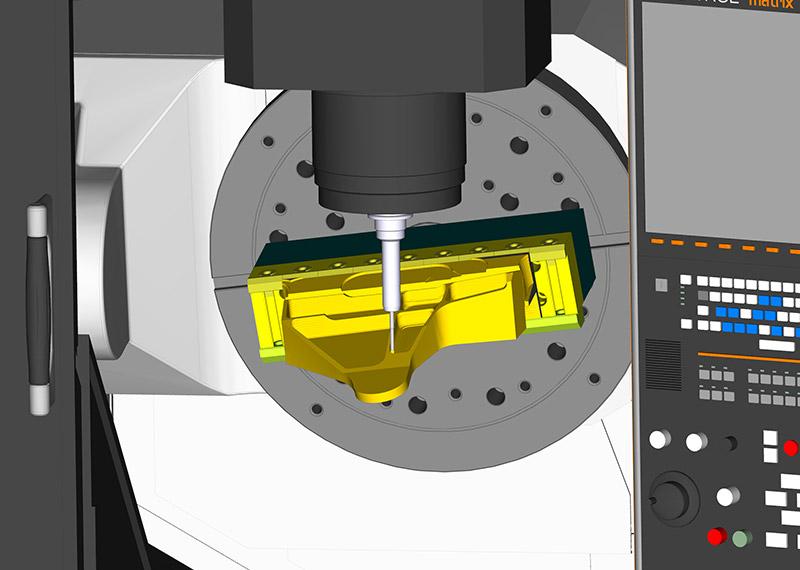
The CAM simulation looks perfect. The toolpath follows the intended geometry, the material is removed correctly, and no collision warnings appear. Yet, when the program reaches the actual CNC machine, an unexpected alarm occurs—or worse, the tool holder strikes a fixture.
How can a machining process that appears safe in simulation fail on the shop floor?
The answer lies in the difference between verifying a toolpath and verifying how a CNC machine executes that toolpath.
CAM simulation is essential for detecting machining errors, but its reliability depends on the information being simulated. A toolpath that avoids cutting into the finished part does not automatically guarantee clearance between the tool holder, spindle, workholding equipment, rotary table, and other machine components.
For manufacturers, understanding this distinction is fundamental to CNC collision prevention. A reliable process must account for the entire machining system, including machine kinematics, setup conditions, post-processing, and the final NC program.
1. What Does CAM Simulation Actually Verify?
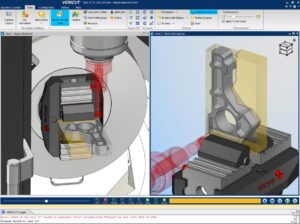
CAM simulation allows engineers to visualize machining operations before production begins. Depending on the software, configuration, and verification settings, it can identify problems such as excessive material removal, incorrect cutting motions, remaining stock, and toolpath interference.
During a typical verification process, the software evaluates the programmed tool movement against the stock model and target geometry.
For example, when machining an aluminum housing, an engineer may use CAM simulation to verify that:
- The cutter follows the intended machining strategy.
- The programmed toolpath removes the required material.
- The finished geometry remains within the intended machining envelope.
- The cutting tool avoids unintended contact with the modeled workpiece.
- The sequence of roughing, semi-finishing, and finishing operations is appropriate.
However, these checks are only as comprehensive as the simulation environment.
If the machine model, fixture geometry, complete tool assembly, or controller-specific behavior is missing or incorrectly configured, the simulation may not detect certain real-world collisions.
This is particularly important for complex setups, multi-axis machining, deep cavities, and operations involving frequent retracts or tool changes.
Autodesk’s documentation on machine simulation and post-processors explains how machine configuration and post-processing relate to CNC motion simulation.
The key principle is simple: a successful toolpath simulation validates the modeled conditions—not every condition that may exist on the actual machine.
2. Seven Reasons CAM Simulation Can Miss CNC Collisions
2.1. The CNC Machine Model Is Missing or Incomplete
A conventional toolpath simulation may focus primarily on the cutting tool, stock, and finished component.
The actual CNC machine contains additional structures that can enter the machining envelope, including the spindle head, machine column, rotary table, and other moving assemblies.
Consider a five-axis machining operation. The cutting edge may maintain the correct position relative to the workpiece while the rotary table moves into a position that creates interference with the spindle head.
Without an appropriately configured machine model and kinematic relationships, the simulation may not represent this interaction accurately.
Engineering consideration: Verify the machine’s actual axis configuration, travel limits, rotary-axis arrangement, and relevant moving components before relying on machine-level collision checks.
2.2. The Post-Processor Does Not Match the Actual Machine
The post-processor translates CAM toolpath information into machine-specific NC code.
It determines how tool movements, coordinates, rotary-axis positions, and other machining instructions are represented for a particular machine and controller configuration.
An incorrect or unsuitable post-processor can introduce discrepancies between the intended tool motion and the motion commanded by the final program.
For example, rotary-axis conventions, coordinate transformations, tool-center-point control, or retract logic may behave differently depending on the machine and controller.
The CAM toolpath may appear correct, but the resulting NC program may not execute as expected.
Autodesk provides guidance on finding and customizing post-processors.
Engineering consideration: Confirm that the post-processor is appropriate for the specific machine, controller, kinematics, and machining configuration. Any modifications should be tested and validated before production use.
2.3. Tool Holder and Shank Geometry Are Not Included
A cutting tool is more than its cutting edges.
The complete tool assembly may include the cutter, shank, extensions, collet, tool holder, and associated mounting interfaces.
During deep-pocket machining, the cutting edges may clear the component while the shank or holder contacts a sidewall, clamp, or adjacent feature.
This risk increases when machining deep cavities, narrow channels, tall walls, and components with limited tool access.
Engineering consideration: Model the complete tool assembly, including relevant holder dimensions, gauge length, and extensions. Check both cutting and non-cutting portions of the assembly throughout the operation.
2.4. Fixtures and Clamps Are Not Accurately Represented
Workholding is a frequent source of unexpected interference.
A vise, clamp, jaw, fixture plate, or custom locating element can occupy space that the programmed tool assembly needs to pass through.
For example, a retract movement that appears clear in a toolpath-only simulation may bring the holder into contact with a clamp. In multi-axis machining, rotary movement can introduce additional interference even when the initial tool orientation is safe.
The problem becomes more likely when fixture geometry is simplified, omitted, or positioned incorrectly in the CAM setup.
Engineering consideration: Include relevant workholding geometry and verify its position relative to the workpiece, tool assembly, and machine throughout the complete machining sequence.
2.5. Work Offsets, Z-Zero, or Setup Orientation Are Incorrect
A correct program can still fail when the real setup does not match the programmed coordinate system.
Common causes include an incorrect work offset, an incorrect Z-zero reference, a reversed component orientation, or a mismatch between the modeled and actual fixture position.
Even a small coordinate discrepancy can create problems when clearances are tight.
For instance, if the workpiece is mounted higher than expected but the program assumes the original position, the tool may approach a fixture or surface earlier than intended.
Engineering consideration: Confirm the work coordinate system, setup origin, stock position, orientation, and relevant offsets against the approved setup documentation.
2.6. Five-Axis and 3+2 Machining Introduce Additional Kinematic Risks
In three-axis machining, the primary programmed movements typically occur along X, Y, and Z. Four- and five-axis configurations introduce additional rotary motion and more complex relationships between the tool and workpiece.
With 3+2 machining, the rotary axes position the workpiece or tool at a selected orientation before three-axis cutting begins. Simultaneous five-axis machining adds coordinated movement that continuously changes the relative orientation.
Consequently, checking the cutting path alone may not reveal every risk associated with rotary-axis movement, machine limits, or head-to-table interference.
Engineers must consider axis travel, rotary limits, singularities where relevant, tool orientation, and the machine’s actual kinematic arrangement.
Learn more in our guide to 3-Axis vs. 3+2 vs. 5-Axis CNC Machining.
Engineering consideration: Verify the machine’s kinematic configuration and rotary-axis behavior, particularly for complex parts and simultaneous multi-axis operations.
2.7. Rapid Moves, Retracts, and Tool Changes Are Overlooked
Not every collision occurs during cutting.
Rapid positioning, retracts, linking movements, indexing, and tool changes can create risks because they move the tool assembly or machine components between machining operations.
A tool may finish a cut correctly but collide with a clamp during retraction. Similarly, a rotary-axis repositioning movement may create interference before the next cutting operation begins.
These movements should not automatically be assumed safe simply because they occur outside the cutting phase.
Engineering consideration: Review the complete program, including non-cutting movements, approach and retract paths, rotary positioning, and tool-change sequences.
3. Why Post-Processing and G-Code Verification Matter
The post-processor is a critical link between the CAM environment and the CNC machine.
CAM software generates machining operations based on the selected strategy and setup. The post-processor then translates those operations into NC instructions appropriate for the target machine and controller.
Depending on the software and configuration, the initial CAM simulation may not fully represent the behavior of the final posted program.
This distinction matters because CNC controllers interpret specific commands, coordinate transformations, compensation settings, and motion instructions according to their configuration.
A verification process that evaluates the actual posted NC program can reveal issues that a toolpath-only simulation may miss.
For example, consider a five-axis component with a deep cavity. The original toolpath may maintain adequate clearance, but the posted program could produce unexpected rotary-axis movement if the machine configuration or post-processor settings are incorrect.
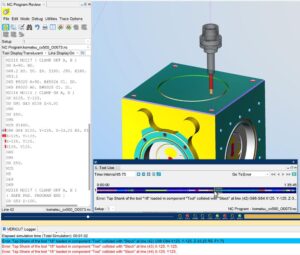
G-code verification helps evaluate the motion represented by the NC program. More advanced verification systems can also model machine kinematics, controller behavior, tool assemblies, fixtures, and travel limits.
VERICUT documents capabilities for machine collision detection and NC program verification.
The objective is not merely to confirm that the cutting tool follows the intended geometry. It is to determine whether the actual program can execute within the configured machine’s geometric and operational constraints.
4. Toolpath Verification vs. Setup Verification vs. Machine Simulation
A robust CNC verification process consists of complementary checks rather than one simulation step.
| Verification stage | What it checks | Key question |
|---|---|---|
| Toolpath verification | Cutting movements, stock removal, and part geometry | Is the programmed machining path correct? |
| Setup verification | Workpiece position, fixtures, tool assembly, and coordinate references | Does the digital setup match the real setup? |
| Machine simulation | Machine components, kinematics, rotary movement, and travel limits | Can the machine move through the operation without modeled interference? |
| G-code verification | The posted NC program and its interpreted movements | Does the final program behave as intended? |
The exact capabilities of each stage depend on the CAM software, simulation system, machine model, and verification configuration.
These stages should work together. A detailed machine simulation cannot compensate for an incorrect fixture model, and a verified G-code file cannot guarantee safe operation if the physical setup differs from the modeled conditions.
For additional manufacturing context, see TAS US’s article on Production Engineering Support for CNC Manufacturing.
5. How TAS US Supports More Reliable CAM Programming
Reliable CNC machining begins well before the first cutting operation. It requires a manufacturing strategy that accounts for component geometry, tooling, workholding, machine capabilities, and the requirements of the final NC program.
TAS US provides engineering outsourcing support across CAD, CAE, CAM, and related manufacturing engineering activities. Our CAM-related work can support manufacturers that need additional programming capacity, machining strategy development, or technical assistance with manufacturing processes.
Depending on project requirements, CAM engineering support may include:
CAM Programming and Toolpath Development
Develop machining strategies around part geometry, material requirements, tool accessibility, and the intended manufacturing process.
Machining Strategy Optimization
Review toolpath approaches, operation sequencing, cutting access, and non-cutting movements to identify potential improvements in machining efficiency and process reliability.
Setup and Manufacturing Data Review
Support the review of workpiece positioning, fixture considerations, tool assemblies, and the manufacturing information needed for reliable CNC programming.
Simulation and Verification Workflow Support
Help assess the appropriate verification process for a project, including the relationship between CAM simulation, machine configuration, post-processing, and posted NC program validation. The available verification scope depends on the customer’s software, machine data, and project requirements.
For complex mold components, TAS also provides Mold Engineering Services, including CAM-related support for core and cavity machining, finishing operations, and multi-axis machining strategies.
Our objective is to help manufacturers strengthen the engineering process between digital programming and production execution—not simply produce a toolpath that looks correct on screen.
Conclusion: A Safe Toolpath Is Only the Beginning
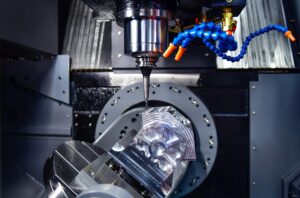
A CAM simulation that reports no collisions is an important checkpoint, but it should not be treated as unconditional proof that a CNC machine can execute the program safely.
The difference between simulated and actual machining behavior often comes down to missing machine geometry, inaccurate setup data, incomplete tool assemblies, unsuitable post-processors, or insufficient verification of the final NC program.
For reliable CNC collision prevention, manufacturers should combine toolpath verification, setup validation, machine simulation where available, and verification of the posted G-code. The physical setup must then be checked against the verified digital configuration.
Need support with CAM programming or CNC manufacturing engineering?
TAS US can help your team review machining strategies, strengthen CAM workflows, and identify opportunities to improve manufacturing process reliability.
Contact TAS US to discuss your CAM programming and manufacturing engineering requirements.
No responses yet